


File-level backup
Back up RHEL data logically at the file and directory level. Use this for conventional Linux file recovery, user data, configuration files, scripts, logs, and other filesystem-level assets.
Red Hat Enterprise Linux Backup

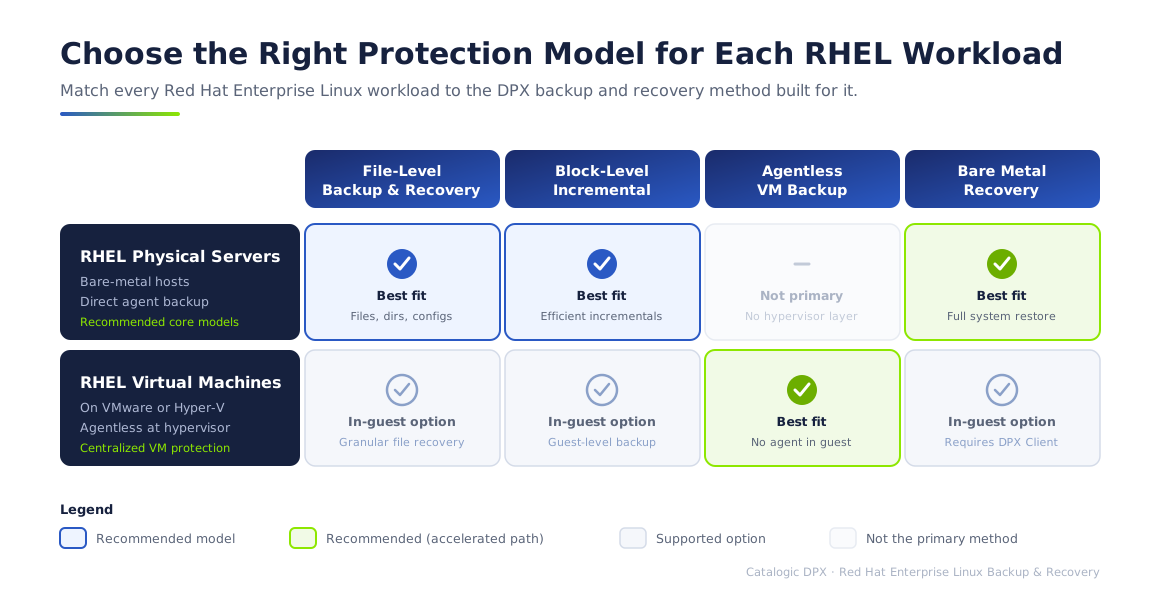
Red Hat Enterprise Linux often runs the workloads that other systems depend on: application services, databases, middleware, file services, monitoring tools, identity components, and infrastructure services. DPX protects these Linux systems with backup and recovery options that match the workload instead of forcing a single protection model. Use file-level backup when you need straightforward recovery of files and directories. Use block-level backup when you need efficient changed-block protection, faster backup windows, Instant Access mapping, selective restore, and Bare Metal Recovery. When RHEL runs as a VM on VMware, Hyper-V, or Proxmox VE, DPX can also protect it at the hypervisor level without installing an agent inside every guest.
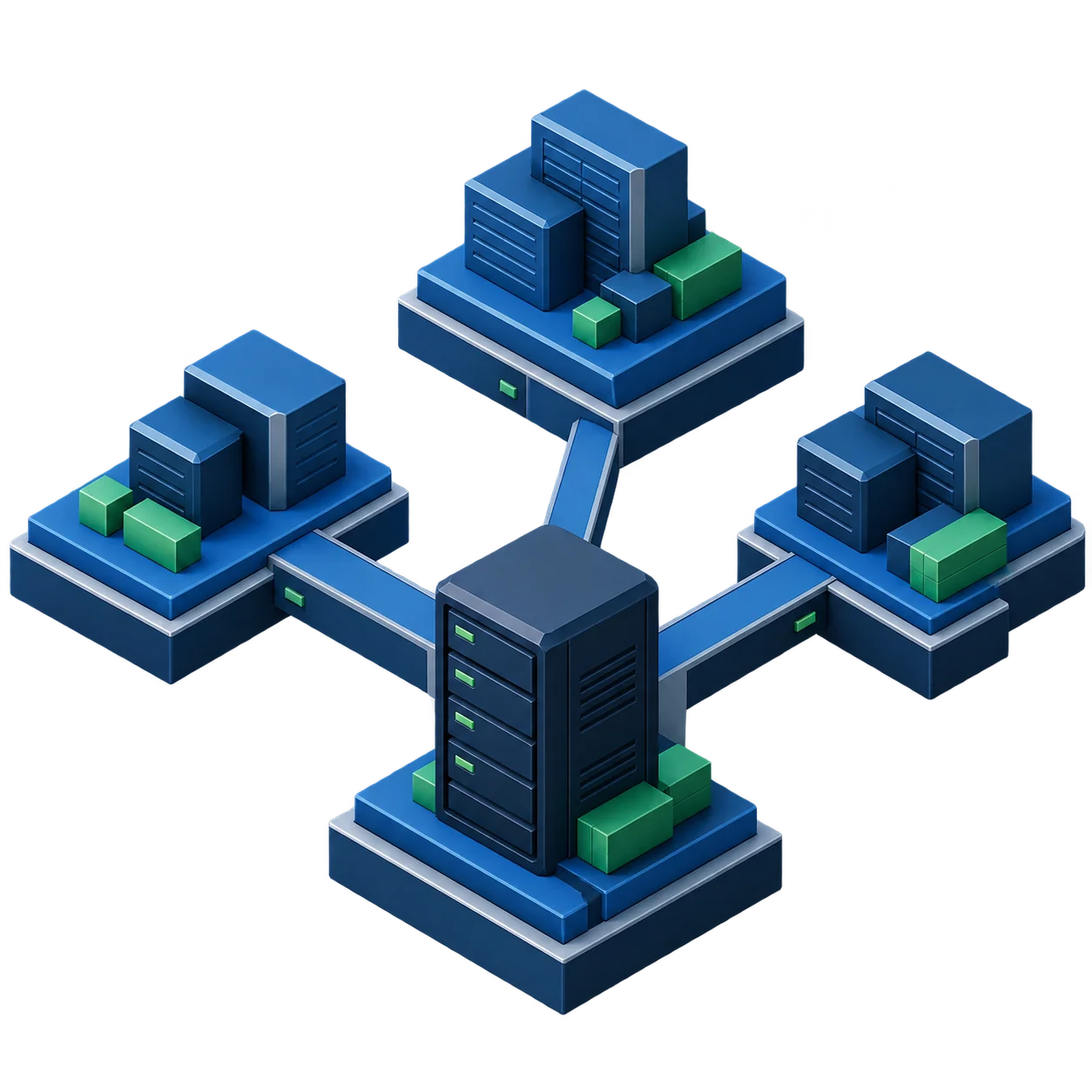
DPX gives backup teams multiple protection and recovery paths for Red Hat Enterprise Linux environments.
Back up RHEL data logically at the file and directory level. Use this for conventional Linux file recovery, user data, configuration files, scripts, logs, and other filesystem-level assets.
Protect supported RHEL systems at the block level to reduce backup time, network load, CPU impact, and storage consumption. DPX block backup supports efficient incremental protection and unlocks advanced recovery workflows.
Recover a complete Linux system environment, including the operating system and point-in-time protected data, onto a bare machine or supported recovery target.
Restore individual files or directories without rolling back the full server. DPX supports file restore from file backups and can also restore selected data from block backup workflows.
When RHEL runs on VMware, Hyper-V, or Proxmox VE, DPX can protect the VM through the hypervisor layer without installing the DPX Client inside every guest VM.
Use DPX with vStor for immutable, software-defined backup storage, replication, offload, retention control, backup verification, and ransomware-aware recovery workflows.
DPX does not require every RHEL workload to be protected the same way. Backup teams can select a protection method based on server role, recovery objective, platform, and operational overhead.
The table below summarizes DPX support for common RHEL version families. Consult the current DPX Compatibility Guide for the authoritative support matrix before designing production backup policies.
| RHEL version family | DPX support summary |
|---|---|
| RHEL 8.1–10.2 | Device/SAN Device Server, file-level backup, block-level backup, BMR, NDMP Proxy, EXT and XFS support for block backup |
| RHEL 8.0 | Device/SAN Device Server, file-level backup, NDMP Proxy; block-level backup and BMR are not listed as supported |
| RHEL 7.7–7.9 | Device/SAN Device Server, file-level backup, block-level backup, BMR, NDMP Proxy, EXT and XFS support for block backup |
| RHEL 7.0–7.6 | Device/SAN Device Server, file-level backup, block-level backup, BMR, NDMP Proxy, EXT and XFS support for block backup |
For supported RHEL block backup, DPX supports block backup, Instant Access mapping, selective restore, and volume restore. Instant Virtualization is not supported for RHEL block workloads.
BMR requires the target physical disk to be less than 2 TB. Environments using multipath require careful validation against the current compatibility guide.
For XFS partitions larger than 1 TB, use block-level backup rather than file-level backup. XFS BLI support requires XFS V7.2 or later; 64-bit inodes are not supported.
The GuardMode system requirements list RHEL 9.4 and RHEL 8.10 for the GuardMode agent. RHEL 7 is not supported, and RHEL 10 is not listed.
Always consult the current DPX Compatibility Guide for authoritative RHEL version, filesystem, and feature support details.
RHEL recovery is not always a single-file problem. Hardware failure, storage corruption, failed patching, accidental deletion, or ransomware can require a full system restore. Catalogic DPX Bare Metal Recovery for Linux restores an entire Linux system environment from a point-in-time backup, including the operating system and protected data. With DPX, teams can boot a bare machine using the Linux BMR ISO, connect to the storage system containing the BMR backups, select the required backup instance, and restore the system environment. This gives infrastructure teams a practical recovery path for RHEL servers that cannot be repaired in place.

For ransomware readiness, backup completion is not enough. DPX helps teams verify that backups can be accessed, scan supported backups for suspicious files, and restore from clean recovery points.
For supported block and VMware backups stored on vStor, DPX can mount backup snapshots after backup completion to verify that backup data can be accessed.
After a successful verification mount, DPX can run a GuardMode scan to identify suspicious files and report scan results.
Use vStor deletion lock policies, replication, and offload workflows to reduce exposure to backup deletion or tampering.
Use verification and scan results to choose a safer recovery point before restoring affected RHEL workloads.
Install the DPX Client for Linux on RHEL systems that need direct file-level or block-level backup. This model is appropriate for physical servers, application hosts, database-adjacent systems, and virtual machines that require guest-level protection or BMR planning.
When RHEL runs as a VM on VMware, Hyper-V, or Proxmox VE, DPX can protect the VM at the hypervisor layer. This reduces agent management overhead and fits environments where backup policies are managed by virtualization teams.
Protect RHEL infrastructure servers, application hosts, and shared services with policy-based backup and restore.
Recover application data, configuration files, logs, scripts, and service directories without rebuilding the full server.
Use block backup and Bare Metal Recovery planning for RHEL servers that require full system rebuild capability.
Protect RHEL VMs in VMware, Hyper-V, and Proxmox VE environments with agentless backup and VM recovery workflows, plus file-level restore for VMware and Hyper-V.
Use immutable backup storage, backup verification, GuardMode scan results, and recovery-point selection to reduce reinfection risk.
Retain RHEL backup data across disk, tape, cloud, object storage, and vStor-based architectures.
Documentation and product resources for infrastructure teams planning or operating DPX protection for Red Hat Enterprise Linux environments.
Enterprise backup and recovery capabilities for Linux, VMware, Microsoft, SAP, Oracle, and more.
Full Linux system recovery from backup, including OS and point-in-time data.
Suspicious file detection and scan workflows for backup verification and safe restore selection.
Supported RHEL versions, filesystems, backup methods, and restore options.
Software-defined backup storage with deletion lock, replication, and offload for cyber-resilient RHEL backup.
Talk to Catalogic about the right RHEL backup architecture for your environment, including physical servers, VMware, Hyper-V, and Proxmox VMs, vStor storage, ransomware recovery, and Bare Metal Recovery planning.
Request Demo