



AWS
Protect Amazon S3 buckets and keep the recovery copy on infrastructure you own, outside the account that holds the original.
DPX feature
S3 platforms replicate objects and survive hardware failure, which is why buckets often end up outside the backup plan entirely. Replication does not help when someone deletes a prefix, an application overwrites objects with bad data, or credentials are used to empty a bucket on purpose. DPX treats an S3-compatible store as a backup source in its own right, reads the buckets you select, and writes the copy to storage you control.

The DPX compatibility guide validates these S3-compatible platforms as backup sources. Each is added as an S3 Object Storage node with an endpoint, access key, secret key, and region.
Protect Amazon S3 buckets and keep the recovery copy on infrastructure you own, outside the account that holds the original.
Back up Backblaze B2 buckets alongside the rest of the estate, managed from the same DPX job list.

Protect Swarm buckets on versions 17.0.2 and 16, giving an on-premises object store an independent backup copy.

Back up MinIO buckets, including retrieval of individual files from the vStor copy when a full bucket restore is not what you need.
S3 Object Storage backup is a dedicated DPX job type, configured and run from the web interface:

A backup of object storage that lives in object storage at the same provider shares too much fate with the original. DPX writes S3 backup data to vStor, the software-defined repository you run on your own hardware or as a virtual appliance. vStor 4.12 or newer is required for this job type. That puts the recovery copy on infrastructure with a different failure domain, a different credential set, and protection controls you administer.
The value of an independent copy depends on whether it can be removed by whoever compromised the original.
S3 Object Storage restore is bucket-level, and the documentation is direct about what that means:

The same S3 compatibility works in the other direction. DPX archive jobs move Block backup and VMware Agentless backup data to cloud object storage for off-site retention, which is where most teams meet S3 first. Object Lock is available on Amazon S3 series, Backblaze B2, Wasabi Object Storage, and Microsoft Azure Blob Storage, and DPX can encrypt agentless VMware archive data before it leaves for the target. Per-object retention periods and legal holds are not supported.
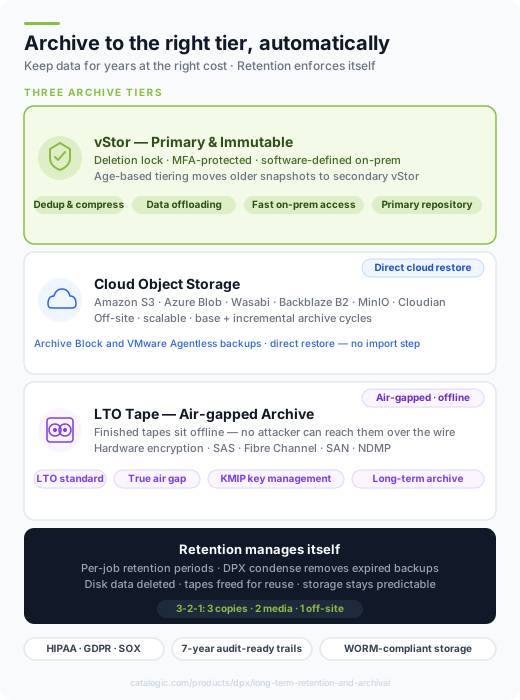
Four things decide whether an S3 backup job behaves predictably. Two of them are easy to miss until an incremental quietly stops catching changes.
| Requirement | What to check | Why it matters |
|---|---|---|
| Destination | vStor 4.12 or newer | It is the only supported backup storage for this job type, and it creates one volume per protected bucket. |
| Clock synchronisation | The S3 store and the DPX Master Server agree on the time | DPX documents this as mandatory. Without it, incremental backups can miss changes, which is the kind of gap you find during a restore. |
| Bucket addressing | Virtual host-style or path-style | AWS recommends virtual host-style and treats path-style as deprecated, but some S3-compatible platforms still require path-style. |
| Credentials | Access key, secret key, region, endpoint | Providers name these differently. Use Test when adding the node to confirm the Master Server can actually reach the endpoint. |
Version limits and platform support change between releases. Confirm against the DPX compatibility guide for the version you run before sizing a deployment.
Buckets sit in the same job list as VMs, databases, file servers, and physical systems, on one schedule and one retention model.
The copy lives on your vStor repository, under your credentials, not in the account that holds the original.
Deletion locks with retention periods, MFA on release, and GuardMode scanning of the stored copy.
-restore-<timestamp> suffix. For a small number of files, retrieve them from the vStor copy instead of restoring the whole bucket.More on object storage protection and cloud archive with Catalogic DPX.
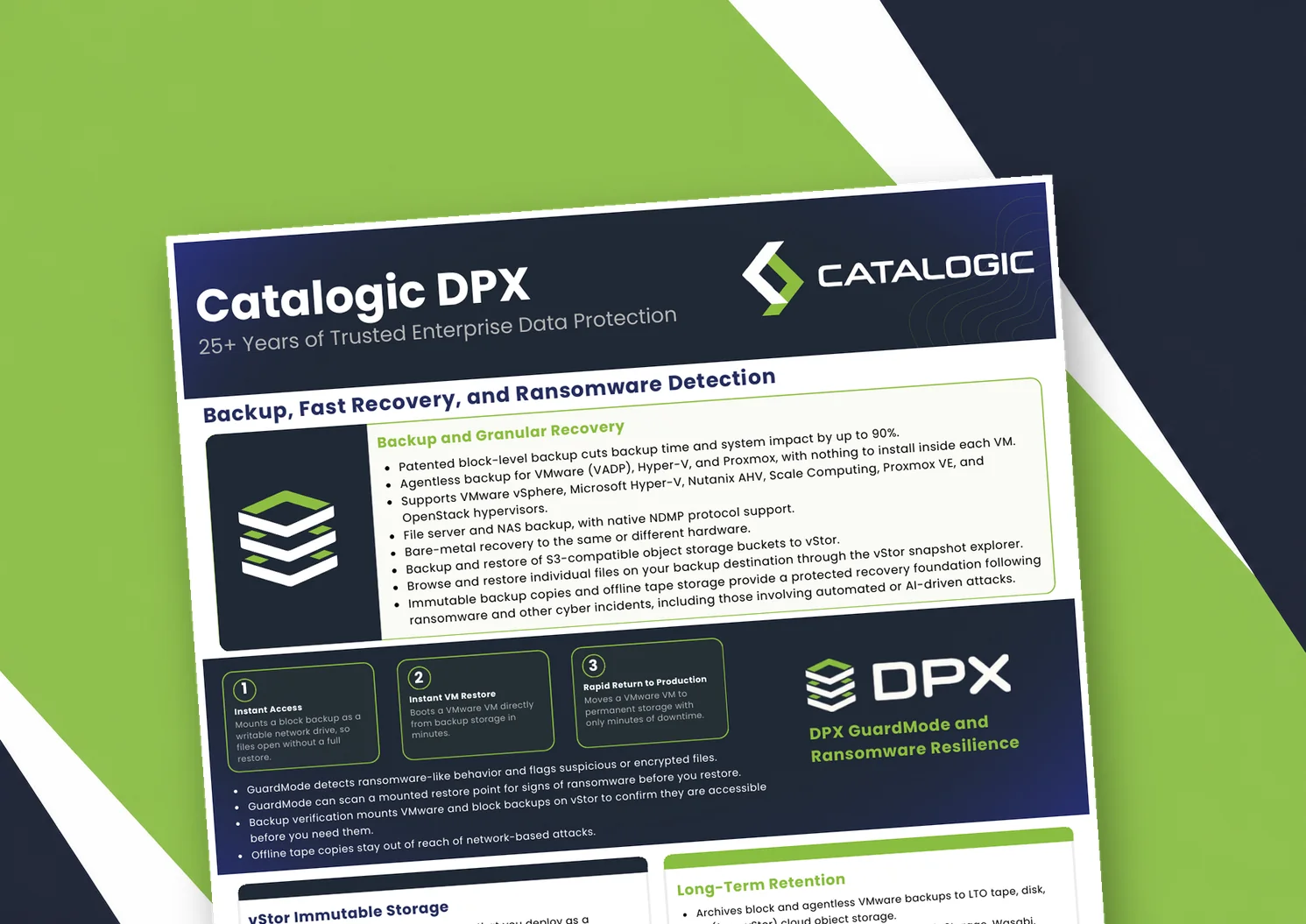
Catalogic DPX product brief: block-level and agentless VM backup, Instant VM Restore, GuardMode ransomware detection, immutable vStor storage, and long-term retention to tape or cloud.
Product brief: DPX adds an independent, S3-connected backup copy on vStor for DataCore Swarm data, with licensing that scales with deployment size to protect partner margin.
DPX 4.16 adds agentless Proxmox VE backup to Catalogic's enterprise data protection platform, giving mixed VMware, Hyper-V, and Proxmox estates a single console for backup, recovery, and ransomware resilience.
See how Catalogic DPX backs up S3-compatible object storage to your own vStor repository, with immutable snapshots and ransomware scanning. Book a personalized demo with our team.
Request Demo