Catalogic Software

DPX vStor

Immutable backup storage

Immutable backup storage without appliance lock-in. Catalogic DPX vStor gives backup teams a software-defined repository for protected recovery points, efficient capacity use, and fast restores across physical, virtual, and hybrid environments.

Storage outcomes

  • Lower cost: use software-defined storage instead of buying another purpose-built appliance.
  • Protected data: apply immutable snapshot and deletion protection controls to recovery points.
  • Efficient capacity: reduce backup storage pressure with ZFS compression and deduplication.
  • Fast recovery: keep backup images close to DPX restore workflows for rapid operational recovery.

Why immutable backup storage is a 2026 buying priority

Backup storage decisions now sit at the intersection of ransomware recovery, infrastructure cost, and platform flexibility. DPX vStor addresses all three by combining software-defined deployment, immutable snapshots, efficient storage services, and DPX-integrated recovery.

Cost efficient storage icon

Cost pressure

Avoid another expensive appliance refresh by deploying backup storage on virtual or physical infrastructure that fits your performance and budget goals.

Immutable snapshot icon

Ransomware resilience

Use immutable snapshots and deletion protection to reduce the risk that recovery points are modified or removed during an incident.

Platform flexibility icon

Platform freedom

Support recovery strategies across VMware, Hyper-V, Nutanix AHV, Scale Computing, and other environments without tying backup storage to one hardware appliance family.

vStor software-defined immutable backup storage

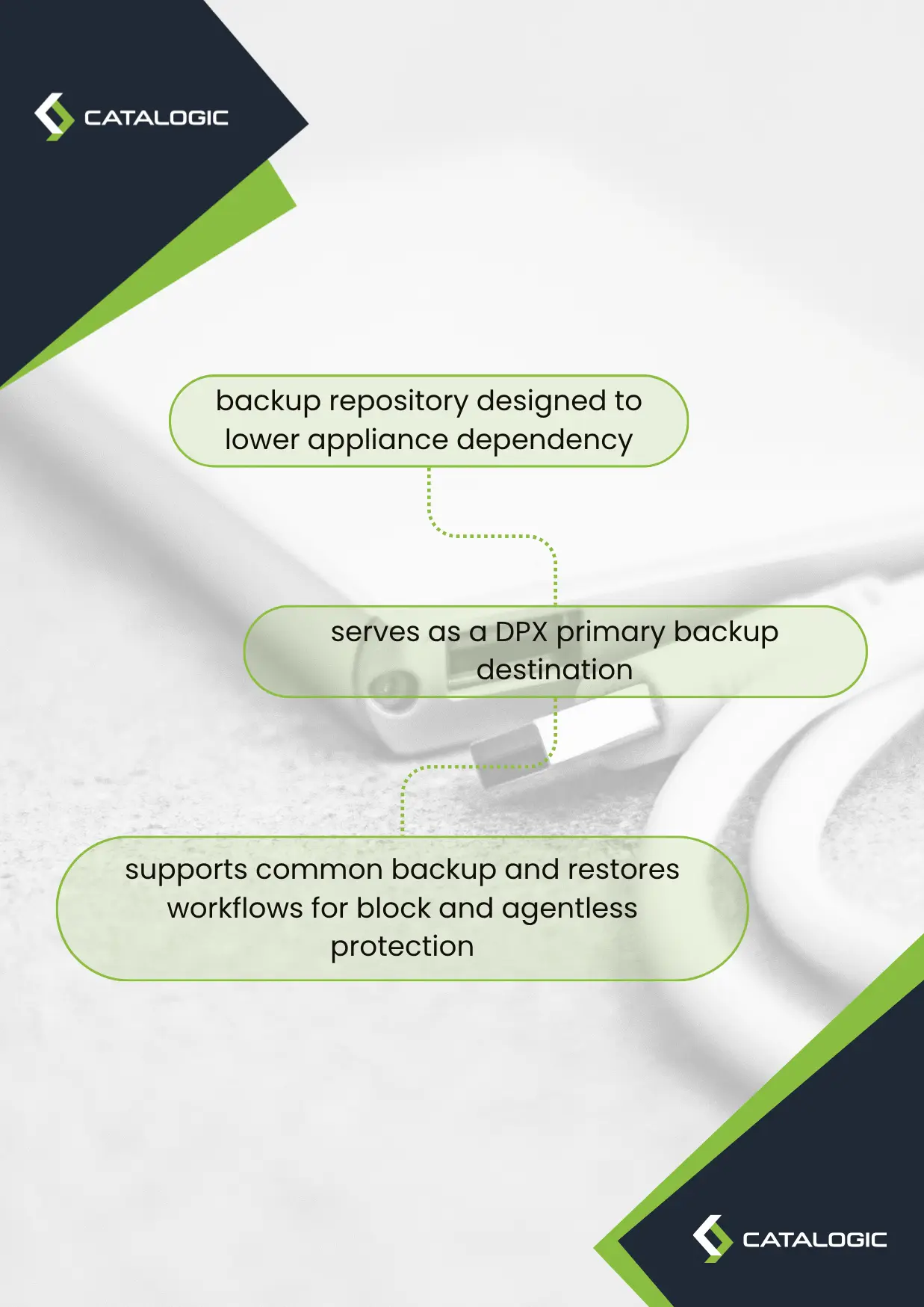
vStor is the DPX backup repository designed to lower appliance dependency while strengthening recovery-point protection. It can serve as a DPX primary backup destination and supports common backup and restore workflows for block and agentless protection.
  • Deploy vStor as a virtual appliance or on a physical server instead of buying a fixed-purpose backup appliance.
  • Use existing storage investments where appropriate, while still giving DPX a managed backup destination.
  • Apply immutable snapshot controls and deletion protection to help preserve recovery points.
  • Reduce storage growth with ZFS compression and deduplication where workload characteristics allow.
  • Replicate backup data to another vStor target for site resilience, remote office protection, and recovery planning.
  • Integrate with DPX recovery workflows for VMware, Hyper-V, Nutanix AHV, Scale Computing, and more.
DPX vStor immutable backup storage operations

The appliance lock-in problem

Purpose-built backup appliances can be convenient at first, but many organizations discover the lock-in later. Capacity is purchased in appliance-sized steps. Performance upgrades often require another hardware quote. Storage refreshes become tied to a vendor roadmap rather than the organization’s infrastructure plan. When data grows faster than expected, the backup team may be forced into an unplanned expansion just to keep retention targets intact.
That model is especially difficult heading into 2026. IT teams are being asked to improve ransomware recoverability, expand virtualization coverage, support edge sites, and control costs at the same time. A storage platform that only scales through proprietary appliance purchases can turn backup into a capital planning problem instead of an operational resilience strategy.

How vStor changes the storage model

Catalogic DPX vStor takes a software-defined approach. Instead of forcing the backup architecture around a specific appliance, vStor lets DPX use a flexible backup repository that can be deployed on a physical machine or in a virtual environment. That gives infrastructure teams more control over where backup storage lives, how it scales, and how it maps to existing server, disk, and virtualization investments.
The value is not only cost avoidance. vStor is backup-aware storage for DPX. It is built to hold backup images, expose snapshots for verification and recovery, support replication, and apply protection controls that make recovery points harder to delete or modify. The result is a repository that supports financial flexibility and cyber resilience at the same time.

Sample problems vStor resolves

The best storage architecture is easier to defend when it maps directly to everyday backup problems. These are common issues DPX customers evaluate when comparing vStor with appliance-centric backup storage.

Appliance refresh problem icon

Appliance refresh sticker shock

When backup data outgrows a fixed appliance, vStor gives teams a software-defined option that can use infrastructure they control.

Backup capacity icon

Uncontrolled backup growth

Compression, deduplication, retention planning, and replication choices help teams manage backup capacity more deliberately.

Protected backups icon

Ransomware deletes backups

Immutable snapshots and deletion protection reduce the chance that attackers or mistakes remove the recovery point you need.

Remote office storage icon

Remote sites lack storage

Smaller vStor deployments can support branch and edge recovery strategies without a large appliance footprint at every location.

Multi-hypervisor recovery icon

Mixed hypervisor recovery

DPX and vStor support recovery planning across VMware, Hyper-V, Nutanix AHV, Scale Computing, and related virtual infrastructure.

Fast recovery icon

Slow restore confidence

Keeping backups in a DPX-integrated repository helps teams validate, locate, and restore the right recovery point faster.

Problem: backup storage costs grow faster than the backup budget

Many backup teams enter a budget cycle with two conflicting facts. First, protected data is growing. Second, the budget for backup infrastructure is flat or shrinking. The usual appliance response is to add capacity through the vendor’s expansion model, but that can force the organization into large purchasing increments even when the immediate need is smaller or more targeted.
vStor helps solve this by separating the backup storage software layer from a rigid appliance purchasing model. Teams can design storage around the data profile: faster storage for high-priority workloads, cost-optimized storage for longer retention, and smaller deployments for remote offices. Because vStor is software-defined, it gives buyers more room to evaluate existing hardware, virtual infrastructure, and storage pools before committing to new purpose-built appliances.
The resolution is practical: DPX still gets a managed backup destination, but the business gains more control over how that destination is funded and expanded. Instead of treating every backup storage challenge as an appliance refresh, the team can decide where software-defined vStor capacity best fits the recovery strategy.

Problem: ransomware targets the recovery layer

Ransomware operators understand that backup data is the fastest path back to production. If they can delete snapshots, encrypt backup repositories, or force administrators into using a compromised recovery point, the incident becomes much more expensive. That is why modern backup buyers ask whether recovery points are protected, not merely whether backups exist.
vStor addresses this with immutability and deletion protection features. Snapshot deletion protection is designed to prevent accidental or unauthorized deletion and modification of snapshots. vStor also supports protection choices such as flexible and fixed deletion locks, with MFA requirements around deletion protection controls. For replicated data, vStor can protect replicated snapshots on the target to support a stronger recovery posture at a second site.
The operational benefit is that recovery points become harder to remove at the moment they matter most. This pairs naturally with DPX cyber-resilient recovery, where the goal is not simply to restore something, but to restore a clean, available, protected recovery point.

Problem: backup windows and storage windows collide

Backup storage has to absorb data quickly enough to keep jobs on schedule, but it also has to retain data efficiently. When a repository is overloaded or inefficient, administrators see missed backup windows, longer retention cleanup, and more pressure to reduce restore point availability. These problems can show up in VMware estates, Hyper-V clusters, file-heavy systems, and databases with frequent change rates.
vStor uses ZFS storage services, including compression and deduplication, to help reduce capacity pressure. Compression reduces data size as it is written. Deduplication stores duplicate blocks only once when the workload profile makes that efficient. The best ratios depend on the data type, but common backup targets such as virtual machine images, logs, databases, and repeated backup sets often benefit from these technologies.
The resolution is not magic compression for every file. The benefit is control. Backup teams can design vStor volumes, capacity, and performance around workload behavior, then use DPX policy and scheduling to keep backup activity aligned with recovery objectives. That makes vStor a better fit for organizations that need both cost discipline and operational predictability.

Problem: one repository must support many restore patterns

Recovery is rarely one-size-fits-all. A database administrator may need a point-in-time restore. A virtualization administrator may need a VM back quickly. An infrastructure team may need to recover a block volume. A remote office may need local recovery first and central recovery second. An appliance that was sized for ingest alone may not provide the flexibility the recovery workflow requires.
vStor is integrated with DPX backup and recovery workflows, so it is not just a passive storage bucket. It can serve as a backup destination for DPX block and agentless backups and as part of recovery flows where backup snapshots are mounted, verified, replicated, or restored. DPX can then connect that repository to broader workload coverage, including VMware backup, Hyper-V and Microsoft workloads, Nutanix AHV backup, and open virtualization scenarios.
The resolution is a repository that supports recovery operations, not just backup storage consumption. That matters because the value of immutable storage is realized only when the team can actually restore from it in the required time window.

Problem: remote offices need resilience without enterprise appliance sprawl

Remote offices, branch locations, and edge sites often have important data but limited IT staff. They may not justify a large backup appliance, yet they still need local restore capability and protected recovery points. Central-only backup can create bandwidth pressure and restore delays, especially when the site has a limited WAN connection or a local operational dependency.
Because vStor can be deployed flexibly, it can support smaller site designs where local backup storage is needed without a full appliance stack. A branch can use a right-sized vStor deployment for local recovery, then replicate selected backup data to another vStor target for additional resilience. This gives the business more options than choosing between expensive local appliances and slow central-only recovery.
The resolution is a practical edge pattern: keep recoverable data close enough for operational incidents, protect snapshots against deletion, and replicate recovery points where a second copy is required. DPX then provides the backup management and recovery workflow around that storage architecture.

Problem: hypervisor strategy is changing

Many organizations are re-evaluating virtualization strategy. Some are staying with VMware. Others are expanding Hyper-V, Nutanix AHV, Proxmox, Scale Computing, or mixed hypervisor environments. Backup storage should not make those platform decisions harder. If the repository is tightly coupled to one appliance, one hypervisor assumption, or one vendor expansion path, it becomes another migration constraint.
vStor helps DPX remain flexible as infrastructure changes. The storage repository can support DPX recovery strategies across virtual and physical environments, while DPX and related Catalogic capabilities cover a broad set of workloads and hypervisors. That lets teams make platform decisions based on application and infrastructure needs rather than on whether the backup appliance can follow them.
The resolution is strategic freedom. Immutable backup storage becomes a stable part of the recovery architecture while the compute layer evolves. Internal links such as VMware, Nutanix, Proxmox, and Catalogic integrations can guide buyers to the workload coverage they need.

Problem: replicated backups are not protected enough

Replication is a core part of many backup designs, but replication alone is not immutability. If a corrupted or malicious action reaches the target, or if replicated snapshots can be deleted too easily, the second copy may not provide the recovery assurance the organization expects. This is especially important for ransomware response, where attackers may spend time looking for backup administration paths.
vStor supports replication deletion protection for replicated data. In practice, this means teams can design a target-side protection model where replicated snapshots receive deletion protection as they are uploaded. That helps prevent modifications or deletions of replicated data on the target and supports a stronger disaster recovery posture.
The resolution is better separation between replication and recoverability. Replication moves recovery points to another location. vStor protection helps preserve those recovery points. DPX then provides the restore workflow so the team can act on the replicated copy when the primary site or primary repository is unavailable.

Problem: compliance teams ask for evidence, not slogans

When auditors, executives, or cyber insurers ask about backup resilience, they are rarely satisfied with a generic claim that backups are secure. They want to know how recovery points are protected, how retention is controlled, whether deletion requires stronger authentication, and whether recovery can be performed within the business tolerance for downtime.
vStor provides concrete controls to discuss: immutable snapshots, deletion protection, MFA requirements for protection controls, replicated snapshot protection, compression and deduplication for capacity efficiency, and DPX-integrated backup destinations. These capabilities give IT leaders a clearer story than ‘we bought an appliance.’ They can describe the actual recovery-point protection model and how it supports the broader DPX strategy.
The resolution is a better governance conversation. Instead of defending storage spend as a necessary cost, the team can connect storage architecture to ransomware recovery, retention, auditability, and recovery speed. That makes Catalogic DPX and DPX vStor easier to position as a business resilience platform.

Evaluation question: what should stay local, replicated, or archived?

A strong vStor design starts with recovery intent. Not every backup copy has the same job. Some data needs to be restored locally within minutes. Some recovery points need to be replicated to another vStor target for site resilience. Some older data can move into a longer retention path, especially when the operational recovery window has passed. Buyers who treat all backup data the same often overspend on fast storage or underspend on the data that really needs rapid recovery.
The practical evaluation step is to map workloads into recovery tiers. Mission-critical virtual machines may need local vStor capacity with short restore paths and protected snapshots. Remote office workloads may need smaller local vStor deployments plus replication to a central target. Less time-sensitive data may need a different retention and archive design. DPX gives the policy and job structure around these decisions, while vStor provides the repository layer where snapshots, volumes, and replication relationships are managed.
This is where software-defined storage becomes a buying advantage. With a rigid appliance model, every tier often inherits the same hardware economics. With vStor, the team can design storage placement around recovery value. High-value workloads can use faster storage. Cost-sensitive retention can use more economical capacity. The result is not simply cheaper backup storage. It is a storage architecture that aligns spending with the business value of recovery.

Evaluation question: how will the team prove restore readiness?

Immutable storage is necessary, but it is not enough by itself. A protected snapshot is valuable only if the organization can identify it, access it, and restore from it within the required time. That is why buyers should evaluate backup storage in the context of operational restore readiness. Can the team find the right recovery point? Can they validate that backup data is accessible? Can they recover the workload without waiting for a storage administrator, appliance vendor, or manual transfer process?
vStor supports this readiness model because it is integrated into DPX recovery workflows. DPX can use vStor as a backup destination and can pair vStor snapshots with verification and restore operations. For VMware and block backup scenarios, DPX backup verification can use vStor to mount backup snapshots and check whether backup data can be accessed properly. For ransomware recovery, that restore-readiness story becomes even stronger when vStor protected snapshots are combined with GuardMode findings and the Cyber-resilient recovery feature page.
The buying takeaway is direct: do not evaluate immutable storage only by asking whether it has a lock. Ask how the lock, the repository, the backup catalog, and the restore workflow work together. vStor is positioned as part of DPX, not as isolated storage, so the recovery process can be designed and tested as an operational workflow.

Deployment pattern: primary vStor repository

The simplest deployment pattern is to use vStor as the primary DPX backup destination. In this model, DPX jobs write protected backup data to vStor volumes, and vStor provides the repository services needed for efficient retention and restore. This pattern is useful for organizations replacing a legacy backup target, avoiding a new appliance purchase, or consolidating backup storage around a DPX-managed repository.
A primary vStor repository can be sized for the workloads it protects. The sizing discussion should include front-end protected data, change rate, retention period, expected deduplication or compression behavior, restore concurrency, and the performance profile of the underlying storage. A database-heavy environment will behave differently from a set of repeated VM images. A remote office repository will have different ingest and restore demands than a data center repository. vStor does not eliminate the need for sizing discipline, but it gives the team a more flexible platform for applying that discipline.
This pattern is often the best fit when the main problem is appliance replacement or backup storage modernization. The team gets a DPX-aware repository, immutable snapshot options, and capacity efficiency features without committing every future storage decision to a proprietary backup appliance lifecycle.

Deployment pattern: protected replication target

A second pattern is to use vStor as a replication target for protected backup data. This is valuable when the organization needs another recoverable copy at a separate site, in a central data center, or in a location with stronger operational controls. Replication can support disaster recovery, ransomware response, and regional resilience planning, but only if the target copy is protected from the same deletion or corruption risks that threaten the source environment.
vStor helps by supporting deletion protection for replicated snapshots. Teams can configure replication relationships so that uploaded snapshots receive protection on the target. This turns the target repository into more than a passive copy. It becomes a controlled recovery location where snapshots can be preserved according to the organization’s protection policy.
This pattern is useful for remote office protection, secondary site resilience, and ransomware recovery planning. For example, a branch office can keep local recovery points for common operational restores while replicating protected snapshots to a central vStor target. If the branch is unavailable, or if local backups are suspect, DPX can use the replicated copy as part of the recovery plan.

Immutable storage planning checklist

Use this checklist when comparing DPX vStor with purpose-built backup appliances or unmanaged storage targets. The goal is to evaluate storage as part of the full recovery workflow.

Planning areaQuestion to answerHow vStor helps
Cost modelCan backup storage grow without forcing large appliance refreshes?vStor uses a software-defined deployment model that can run on virtual or physical infrastructure.
Ransomware protectionCan protected snapshots resist accidental or unauthorized deletion?vStor supports immutable snapshots, deletion protection, and MFA-backed protection controls.
Capacity efficiencyCan the repository reduce storage pressure as data grows?ZFS compression and deduplication can reduce capacity needs depending on workload data patterns.
Recovery speedCan the team restore from the repository without unnecessary copy or staging delays?vStor is integrated with DPX backup and restore workflows for operational recovery.
Site resilienceCan a second copy be replicated and protected?vStor replication can protect replicated snapshots on the target repository.
Platform changeCan the storage architecture support VMware, Hyper-V, Nutanix AHV, Scale Computing, and other changes?vStor keeps backup storage software-defined while DPX addresses broad workload coverage.

The right storage design depends on protected data, change rate, retention, restore targets, and infrastructure constraints. A DPX demo or sizing conversation should validate these assumptions before deployment.

Scenario: replacing a purpose-built backup appliance

Consider a mid-sized enterprise with a backup appliance nearing end of support. The appliance still works, but capacity is tight, ransomware requirements have changed, and the vendor’s replacement quote bundles hardware, storage, maintenance, and expansion into a large purchase. The backup team is under pressure to improve recovery assurance, but finance sees only a costly infrastructure refresh.
A vStor-based DPX design changes the conversation. Instead of asking for a like-for-like appliance replacement, the team can separate the requirements. Which workloads need the fastest local recovery? Which data sets drive most capacity growth? Which snapshots need fixed protection? Which sites need replication? Which storage can be reused, and where does new hardware make sense? This lets the organization build a repository strategy rather than buy another sealed box.
In this scenario, vStor can become the primary DPX backup destination for high-value workloads while also supporting protected snapshots and capacity efficiency. The organization may deploy vStor on new general-purpose infrastructure, repurpose appropriate existing storage, or use a mix of physical and virtual deployments depending on performance needs. DPX jobs continue to provide the backup policy and recovery framework, while vStor provides the storage services that make the new model operational.
The business result is a more defensible purchase. The team is not just replacing an appliance because support is ending. It is modernizing backup storage around cost control, immutability, replication, and restore readiness. That is a stronger story for CIOs, CFOs, cyber insurers, and auditors because it ties infrastructure spend to measurable resilience outcomes.

Scenario: running a ransomware recovery test

Now consider a security-led ransomware recovery exercise. The incident response team asks the backup team to prove that a critical application can be restored from a protected recovery point. The exercise is not satisfied by a screenshot showing that a job completed. It asks whether the recovery point still exists, whether it was protected from deletion, whether it can be accessed, and whether the restore workflow is clear enough to execute during a real incident.
With DPX and vStor, the backup team can structure that test around the repository and the recovery workflow. vStor protected snapshots provide the recovery-point preservation story. DPX backup jobs and catalogs provide the operational view of what was protected and when. Backup verification, where applicable, can help confirm that the backup data can be accessed. GuardMode and cyber-resilient recovery workflows can add ransomware context when suspicious activity or encrypted files are part of the scenario.
The exercise can then measure useful operational questions. How quickly can administrators identify the correct recovery point? Do they know whether it is local or replicated? Is the snapshot under flexible or fixed protection? Does the team understand who can change protection settings and when MFA is required? Can the application owner validate the restored workload? These questions are much more valuable than asking whether an appliance has immutable storage as a checkbox.
The business result is better incident readiness. The team documents a repeatable process, exposes gaps before an actual attack, and gives leadership evidence that backup storage is part of the cyber recovery plan. That is where vStor’s value becomes visible: it helps turn protected storage into a recovery capability that the organization can practice and defend.

Scenario: controlling capacity across mixed workloads

Backup repositories rarely store one clean data type. A single DPX environment may protect virtual machine images, file servers, application volumes, databases, log-heavy systems, remote office data, and cloud-adjacent workloads. Each of these behaves differently. Some data compresses well. Some has repeated blocks that can benefit from deduplication. Some changes rapidly. Some must be retained for a long time even though it is rarely restored.
An appliance-centric design can hide those differences until the repository fills up. At that point, administrators may shorten retention, reduce restore points, move data manually, or request another capacity purchase. Those actions can weaken recovery posture or create budget pressure. vStor gives teams more control because the repository can be designed with workload behavior in mind. Compression and deduplication can be applied where they make sense, and storage tiers can be planned around restore value rather than around appliance capacity increments.
The resolution is a more transparent storage plan. Backup administrators can explain why a workload belongs on a given vStor repository, why a retention period is appropriate, what replication policy applies, and how immutability protects the recovery point. This transparency matters because storage efficiency is not just a technical metric. It affects how long the organization can keep clean restore points available after an incident.

Scenario: preserving flexibility during platform migration

Infrastructure strategy is changing quickly. VMware customers may evaluate alternatives. Hyper-V environments may expand. Nutanix AHV and Proxmox may become more important. Edge teams may adopt Scale Computing or other compact virtualization platforms. During these transitions, backup teams are often asked to protect both the old platform and the new platform at the same time.
A backup storage decision should not make that migration harder. If a repository is locked to one appliance roadmap or one narrow platform assumption, it can become a hidden constraint. vStor supports a more flexible strategy because it is software-defined storage for DPX rather than a platform-specific storage silo. DPX can then connect that repository to the workloads and virtualization coverage required by the business.
The resolution is continuity during change. The backup team can keep immutable backup storage as a stable foundation while compute platforms evolve. Internal stakeholders get a simpler message: the organization can modernize virtualization and still maintain protected, recoverable backup data. That is a strong buying argument for any customer trying to reduce vendor lock-in across both production infrastructure and backup storage.

How vStor resolves the buying objections

Immutable backup storage has to satisfy both technical administrators and budget owners. vStor gives each group a concrete answer.

Backup administrator icon

For backup admins

A DPX-aware repository for block and agentless backups, snapshot-based recovery workflows, and protected recovery points.

Infrastructure team icon

For infrastructure teams

Software-defined deployment on physical or virtual infrastructure instead of a fixed appliance-only model.

Security team icon

For security teams

Immutable snapshot controls, deletion protection, MFA-backed protection management, and stronger ransomware recovery design.

Finance team icon

For finance teams

A path to reduce appliance lock-in, reuse appropriate infrastructure, and manage capacity with compression and deduplication.

Related DPX and vStor resources

Use these pages to continue building an internal linking path around DPX storage, cyber resilience, workload coverage, and recovery planning.

Immutable backup storage FAQ

What does immutable backup storage mean?
Immutable backup storage protects recovery points from modification or deletion for a defined period or under defined protection controls. In vStor, immutable snapshots and deletion protection help preserve backup data against accidental deletion, unauthorized deletion, and ransomware-driven attempts to remove recovery points.
How does vStor reduce appliance lock-in?
vStor is software-defined backup storage for DPX. It can be deployed as a virtual appliance or on physical infrastructure, letting organizations design backup repositories around their own performance, capacity, and budget needs instead of being limited to a purpose-built appliance expansion model.
Does vStor support deduplication and compression?
Yes. vStor uses ZFS storage services, including compression and deduplication. Actual space savings depend on workload type and data patterns, but repeated backup data, VM images, logs, and databases are common candidates for meaningful reduction.
How does vStor help ransomware recovery?
vStor helps by protecting snapshots with deletion protection and immutability controls, supporting protected replicated snapshots, and keeping backup data integrated with DPX recovery workflows. It is especially strong when paired with GuardMode and the DPX cyber-resilient recovery workflow.
Where can I read the product documentation?
See the official vStor documentation and DPX documentation for detailed product configuration, storage, backup, and recovery guidance.

Request a DPX vStor Demo

Immutable backup storage without appliance lock-in

See how DPX vStor helps reduce storage cost, protect recovery points, and support fast recovery across your evolving infrastructure.

Request Demo